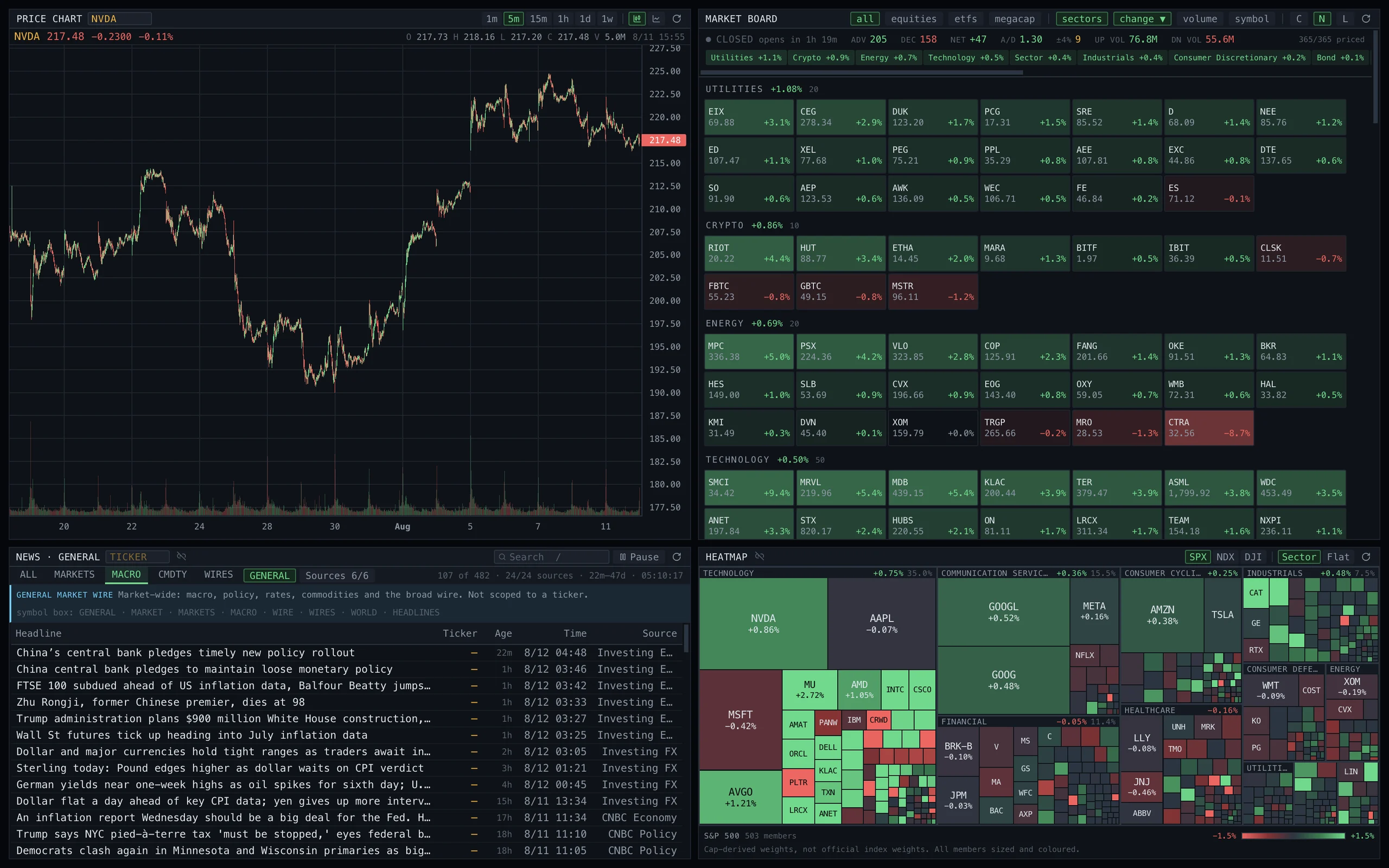
The Econimer Terminal workspace: a five-minute candlestick chart for NVDA with volume, a market board of sector-grouped price tiles with breadth counts, a macro news wire, and an S&P 500 sector heatmap, all tiled in one dark window.

The terminal you own.

A market terminal for macOS. Sixty-six panels, one command line, and your own data behind it.

Download for macOS

macOS 14+ · Apple silicon

  • GPPrice Chart
  • OMONOption Chain
  • TASTime & Sales
  • HMAPHeatmap
  • SPLCSupply Chain
  • BTMMRates Monitor
  • INSDInsider Trading
  • EQSEquity Screener
  • SHIPShipping
  • FLYFlight Tracker
  • CFSEC Filings
  • RISKRisk Analytics
  • WATCHQuote Monitor
  • OSAStrategy Builder
  • OVDVVolatility Surface
  • ECALEconomic Calendar
  • PORTPortfolio
  • MSGMessaging
  • HALTTrading Halts
  • NRGEnergy
  • MADeal Monitor
  • FXCFX Matrix
  • NOTENotebook
  • RPLYReplay

HIGHLIGHTS

Sixty-six panels, each one a short code away.

Open what you need, link them to a ticker, and close the rest.

  • 01Live quotes and the tape
  • 02Option chains and volatility surface
  • 03Multi-leg strategy payoffs
  • 04Treasury curve and credit spreads
  • 05Company filings and full-text search
  • 06Insider and institutional ownership
  • 07Earnings calendar and estimates
  • 08Equity screener and heatmaps
  • 09Portfolio P&L and risk
  • 10Global shipping and flight tracking
  • 11Energy, housing and macro dashboards
  • 12Congressional trades and federal contracts
  • 13Session replay
  • 14CSV export from the ownership, estimates and calendar grids

PRICE CHART

Read the bar under your cursor.

Open, high, low, close and volume for whichever bar you are on. Change the range and the series follows.

GPDEMOSAMPLE SERIES
197.88+3.32% over 1D78 bars · 5 min
Open
197.00
High
198.56
Low
195.72
Close
197.88
Vol
66K
Bar
Fri, 31 Jul 2026 · 19:55 · latest

COMMAND

Two letters, any panel.

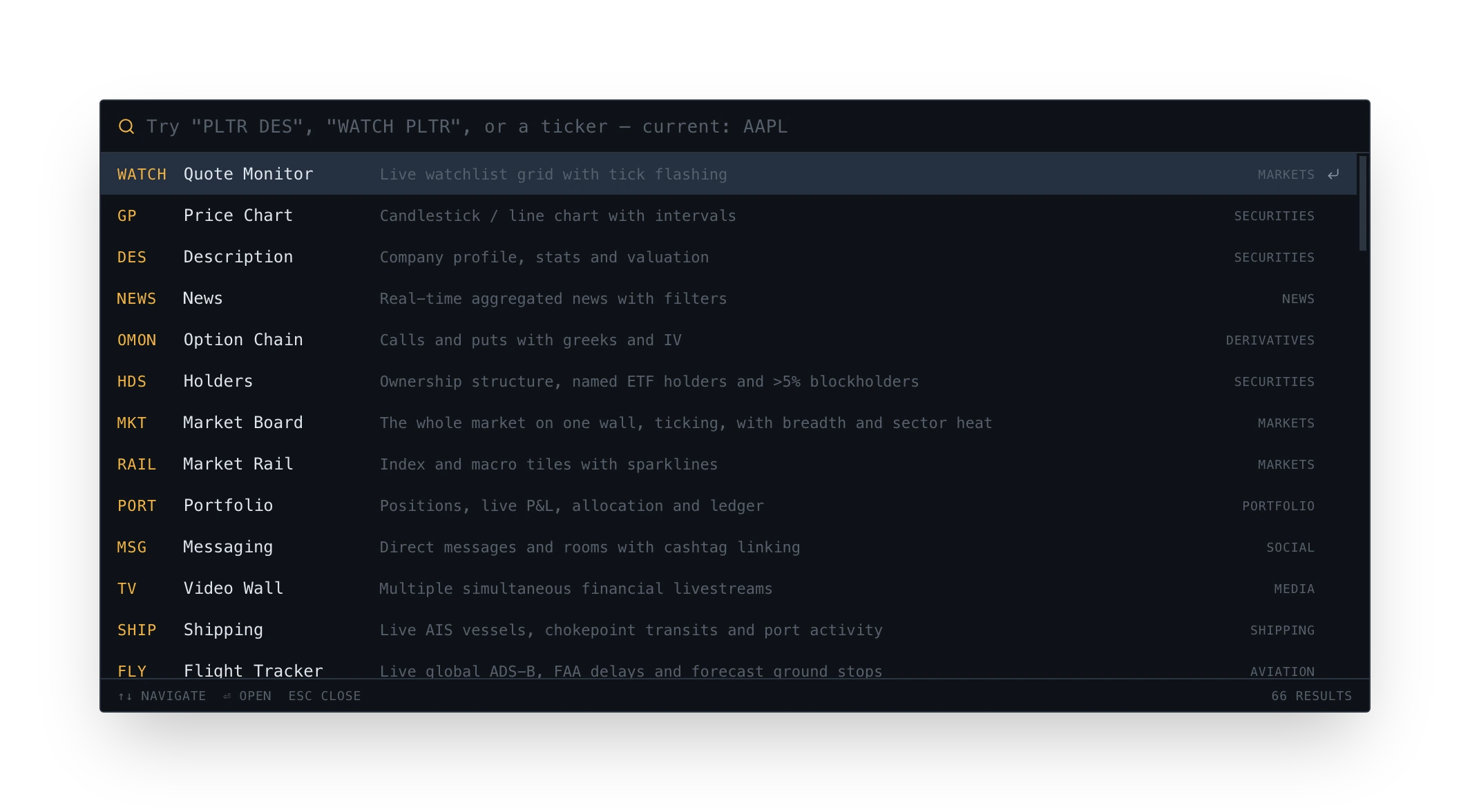
Type a code, or type a ticker and the panel follows. All sixty-six, from the keyboard.

The command palette open over the desktop: a search field reading ‘Try PLTR DES, WATCH PLTR, or a ticker, current: AAPL’, then thirteen results, each a short code in amber beside its panel name and a one-line description, WATCH Quote Monitor, GP Price Chart, DES Description, NEWS News, OMON Option Chain, HDS Holders, MKT Market Board, RAIL Market Rail, PORT Portfolio, MSG Messaging, TV Video Wall, SHIP Shipping, FLY Flight Tracker. The footer reads up-down to navigate, return to open, escape to close, and 66 results.

⌘K · the palette, scrolled to the first thirteen of sixty-six

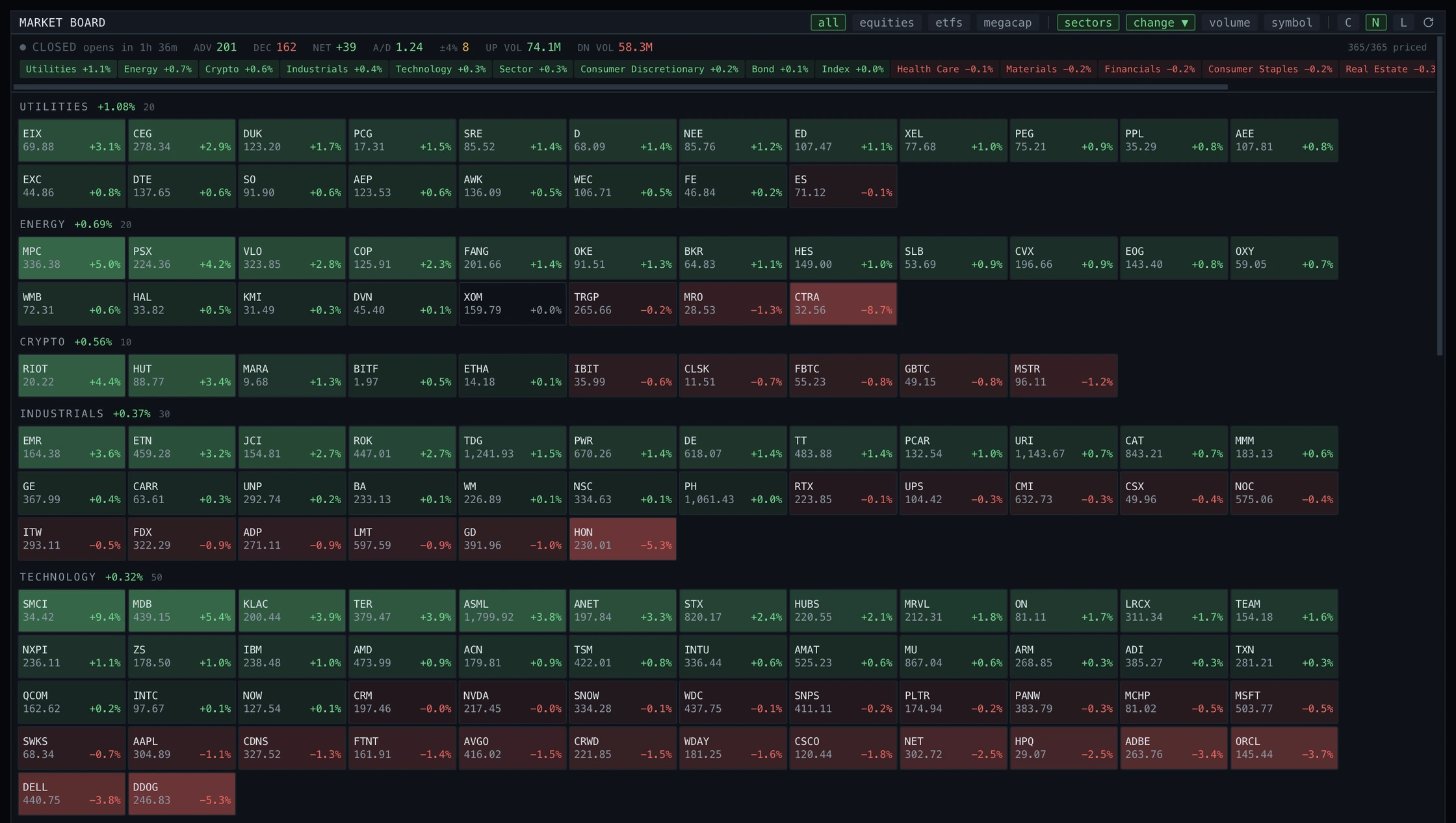
Market Board panel: a breadth strip with advancers, decliners and up/down volume above a wall of price tiles grouped by sector, each showing symbol, last price and percentage change.
Market Board · breadth and the whole board
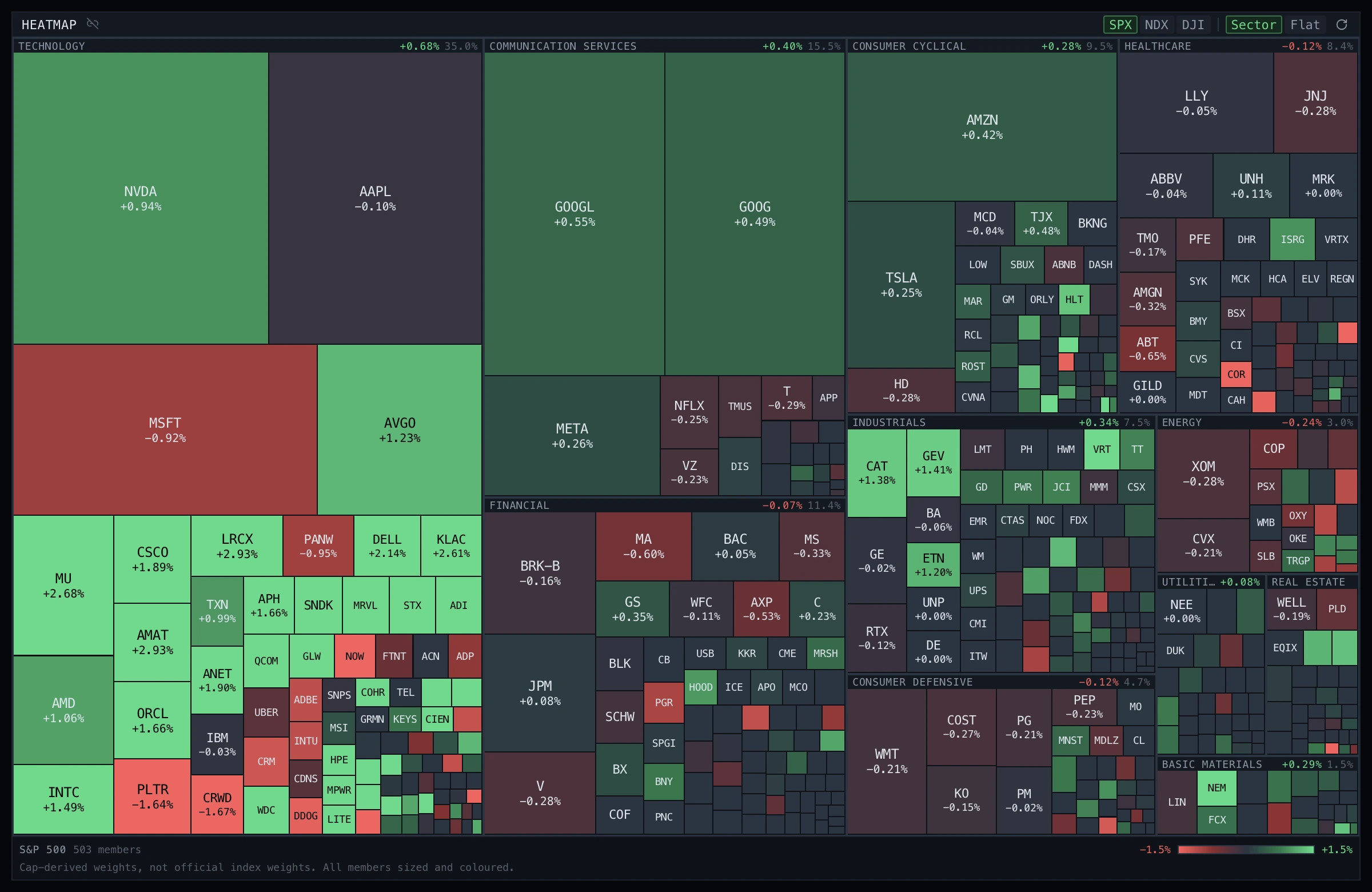
Heatmap panel: the S&P 500 drawn as a treemap of 503 members grouped by sector, each tile sized by weight and coloured green or red by the day’s change.
Heatmap · 503 members, sized by weight
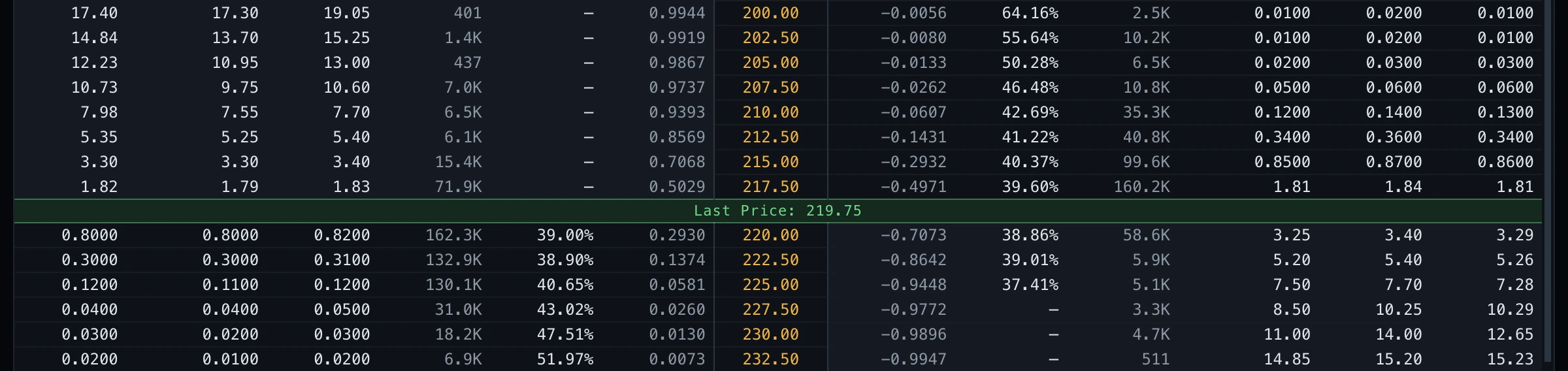
OMONOption Chain · the ladder either side of the last price
Option Chain panel, cropped below its header: a strike ladder in amber down the centre, calls to the left and puts to the right in mirrored column order, split across the middle by a green line reading Last Price 219.75. On the call side above that line the implied-volatility column holds em dashes rather than figures.
MKTGPOSATAPESHIPFLYCF

TAPE

Tape Coverage, measured IEX share of consolidated volume, per symbol and session.

SUPPLY CHAIN

Follow the supply chain.

Open a company and see who it buys from and sells to, each link tied to a filing you can read. Then watch the ports and vessels behind it.

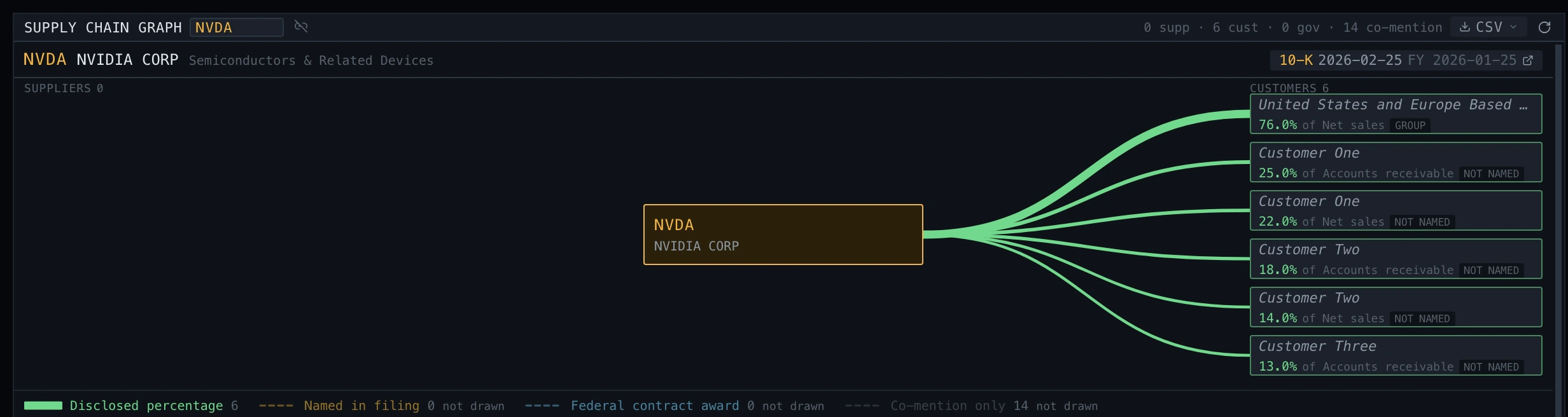
Supply Chain panel for NVDA: the company boxed in the centre with six green edges fanning out to disclosed customers on the right, each labelled with its percentage and the benchmark that percentage is of, such as 76.0% of net sales. A legend below names the tiers: disclosed percentage, named in filing, federal contract award, co-mention only.
Supply Chain · disclosed counterparties, each with its benchmark

THE DESK

Talk on the desk.

Rooms and direct messages live in the terminal. Type a ticker in a message and one click moves every linked panel to it.

#deskrowan

Chip supply note is out, $NVDA and $AVGO are both in it.
GPNVDALINKED

the linked panels moved with it

THE REST

Built the way desks work.

Bring your own data.

Connect the data accounts you already hold, Finnhub, Tiingo, FRED, Alpaca. Paste your keys into settings once and they stay on your Mac.

you paste onceTHIS MAC••••••••••••••••SAVED••••••••••••••••SAVED••••••••••••••••SAVEDkeys never leave
Diagram · credentials stay local

Your screens, your layout.

Tile panels, tear them into their own windows, and spread them across monitors. Link a group by colour so one ticker moves all of them at once.
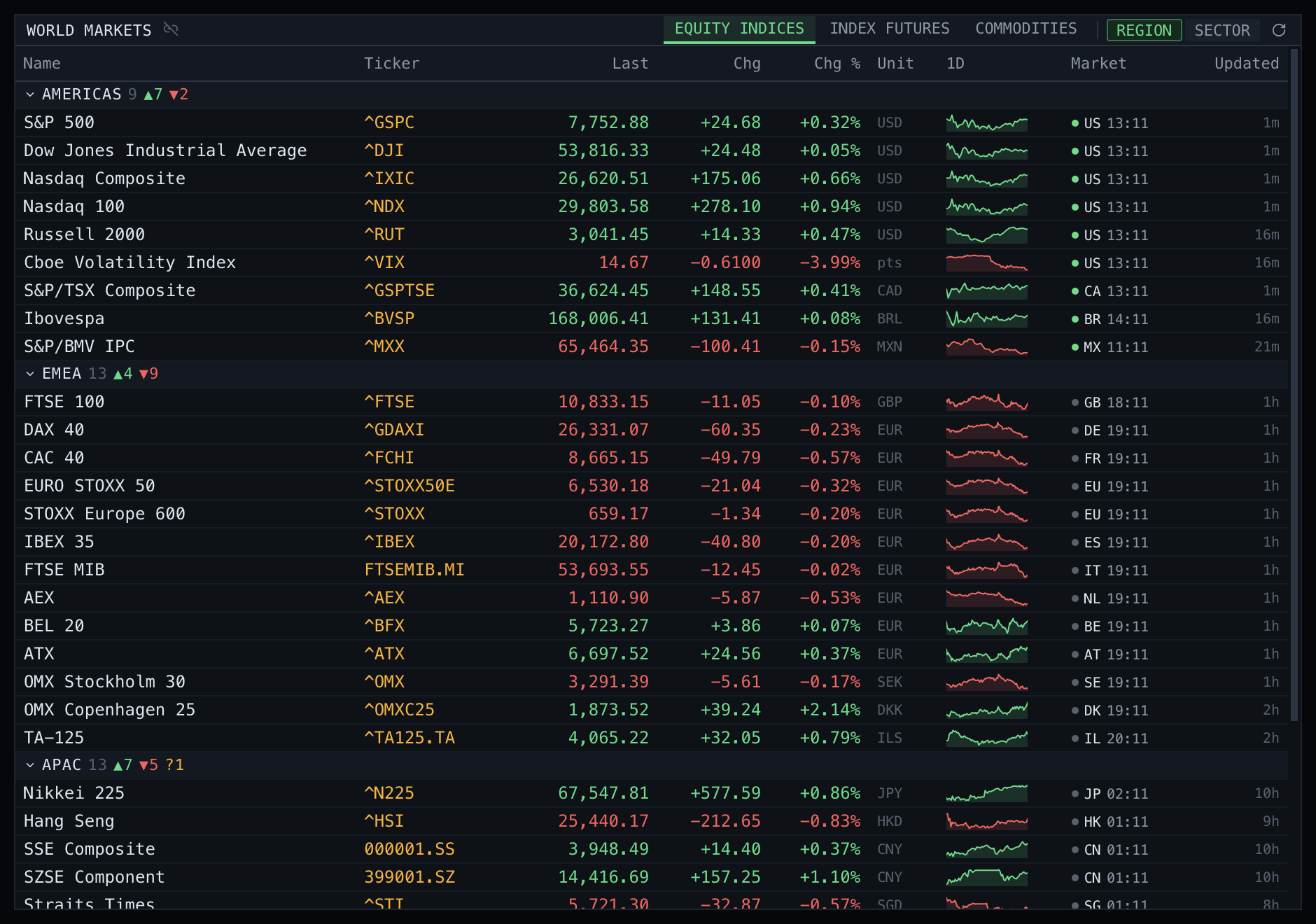
World Markets panel filling one monitor: equity indices grouped by region, with the Americas, EMEA and APAC blocks each carrying an advancer and decliner count, and every row showing name, ticker, last, change, percentage change, currency and a one-day sparkline.
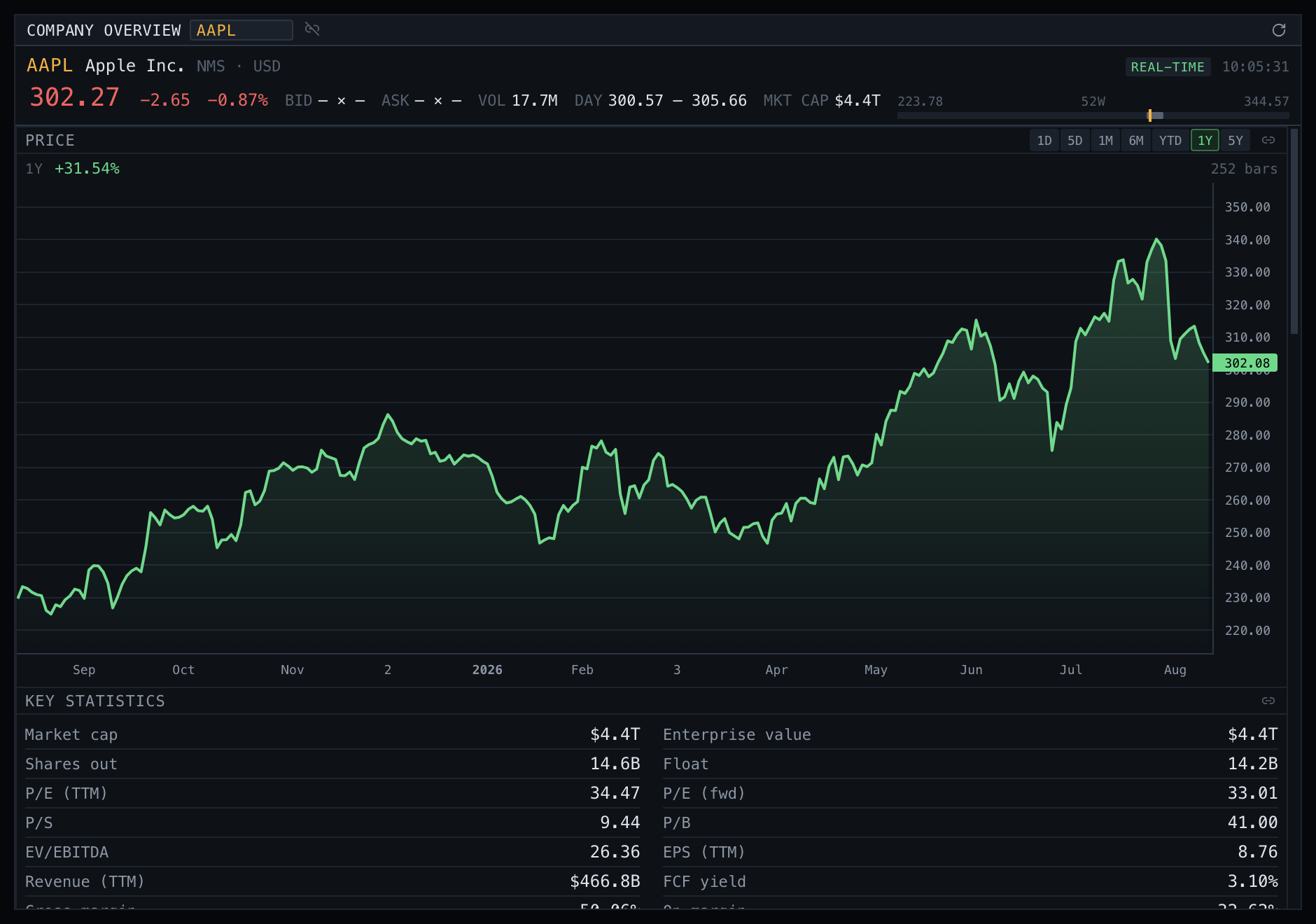
Company Overview panel filling the second monitor: AAPL with a live quote strip (last price, change, volume, day range, market cap and a 52-week bar) above a one-year price chart and the start of a key statistics grid.
Two monitors · one panel on each

Alerts that reach you.

Set a price, a percentage move or a keyword. Get a desktop notification, or push it on to your team’s chat and read the delivery log.

NVDA, news mentions “guidance”

Notification · a keyword alert firing

People, not just panels.

Messaging is a service of its own inside the terminal. Rooms and private threads keep their history, so what someone said last week is still there this morning.
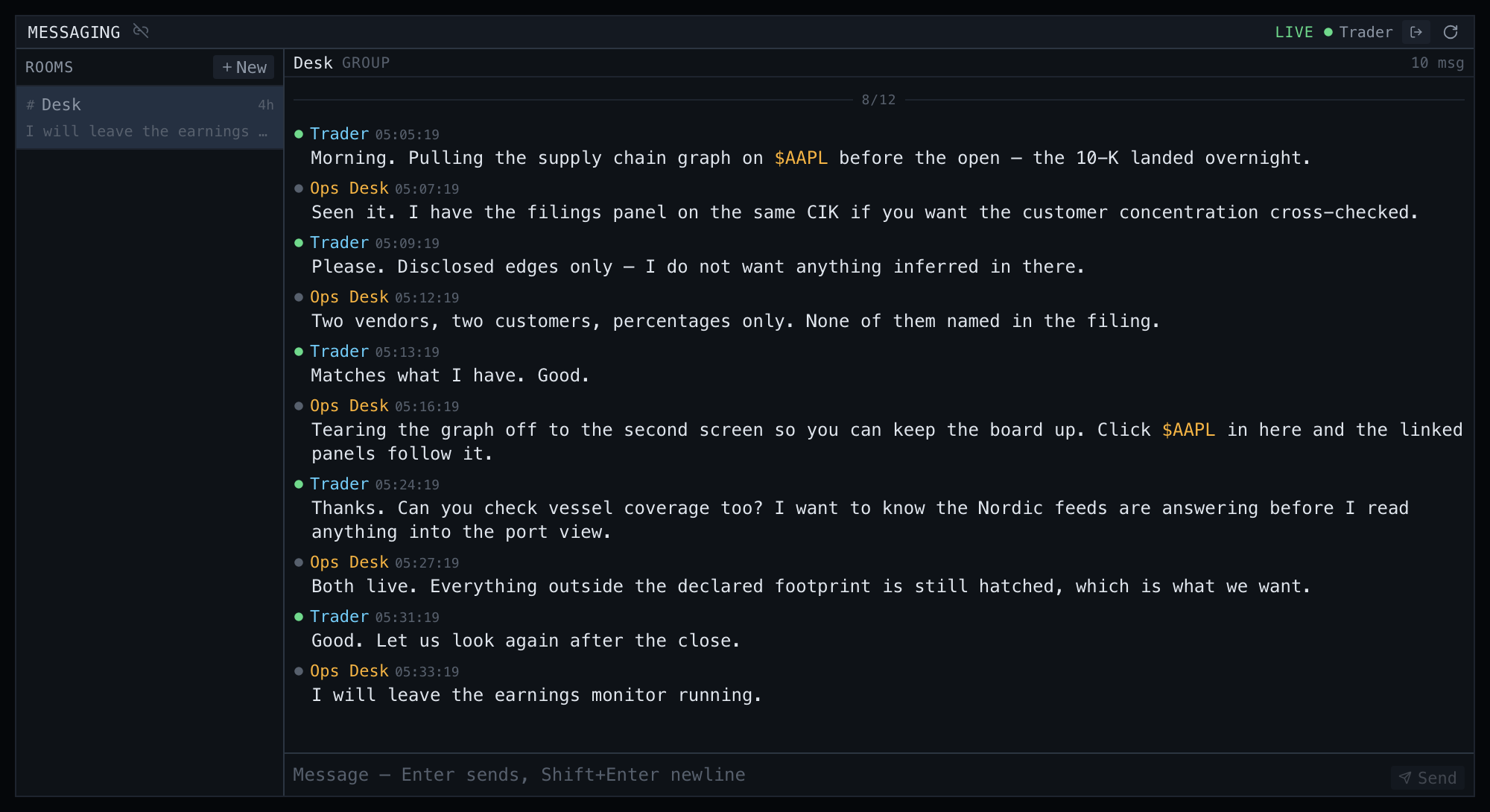

Messaging panel: a room rail on the left listing Desk with its latest line, and the open conversation on the right, ten messages between Trader and Ops Desk, each stamped with a time, and two mentions of $AAPL rendered in amber as controls.
Messaging · a room, its people and its history

DOWNLOAD

Put it on your desk.

It runs on your Mac, on the data accounts you already hold.

Download for macOS

macOS 14+ · Apple silicon